The Ultimate Guide to AI Image Enhancers in 2026: Transform Your Photos Instantly
Key Takeaways
- ✓Definition: AI image enhancers use neural networks (CNNs & GANs) to intelligently reconstruct missing pixels, effectively increasing resolution without losing quality.
- ✓Impact: According to 2025 Shopify data, products with professional-quality images see a 33% higher conversion rate than those with low-quality visuals.
- ✓Top Tools: Industry leaders in 2026 include Topaz Gigapixel AI (for print), Remini (for faces), and Upscayl (free/open-source).
- ✓Speed: AI tools can batch-process hundreds of images in minutes, saving hours of manual editing time.
Have you ever captured the perfect moment, only to realize later that the photo is grainy, blurry, or just too small to use? It’s a sinking feeling that every photographer, designer, and marketer knows too well. You could spend hours manually retouching pixels in Photoshop, but who has time for that?
Here is the good news: AI Image Enhancers have revolutionized this process. Instead of struggling with complex editing tools, you can now restore details, remove noise, and upscale resolution in seconds with artificial intelligence. In this guide, we will explore how these tools work, why they are essential for your 2026 workflow, and which ones are worth your time.
What Is an AI Image Enhancer?
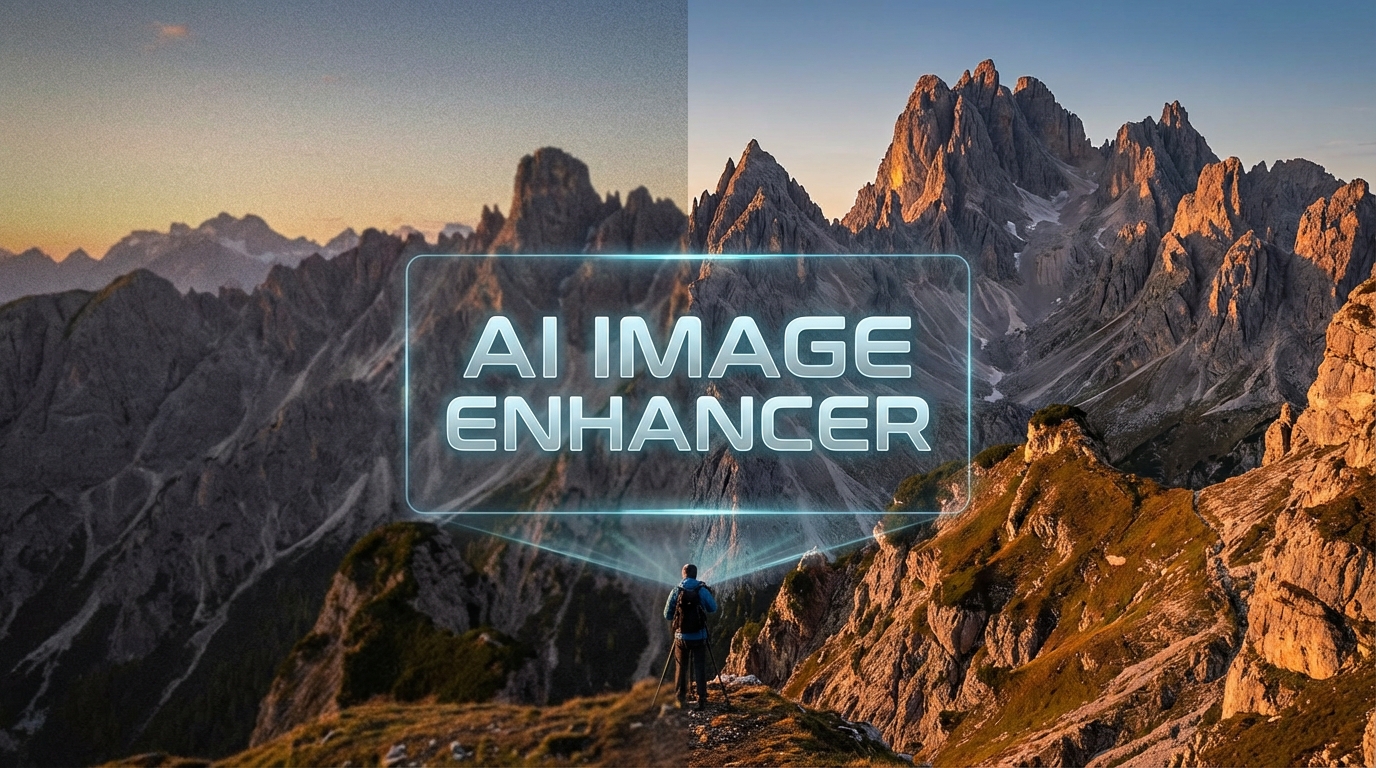
An AI Image Enhancer is a software tool that uses machine learning algorithms to improve the quality of digital images. Unlike traditional editing tools that simply adjust brightness or "stretch" pixels (which leads to blurriness), AI enhancers actually understand the content of your photo.
AI image enhancement doesn't just stretch pixels; it generates new ones based on millions of data points to reconstruct reality.
These tools are trained on massive datasets containing millions of "before and after" image pairs. Through a process called Deep Learning, specifically using Convolutional Neural Networks (CNNs), the AI learns to distinguish between "noise" (grain) and "detail" (texture). When you feed it a low-quality image, it predicts what the high-quality version should look like and fills in the gaps with remarkable accuracy.
But wait, there is more to it than just resizing. Modern AI can now hallucinate plausible details—like the texture of skin or the weave of fabric—that weren't even visible in the original file. This is often achieved through Generative Adversarial Networks (GANs), where two AI models compete against each other to create the most realistic result possible.
Why Photographers & Marketers Need This in 2026
1. Instant Noise Reduction & Sharpening
For photographers, shooting in low light often means dealing with high ISO noise. Traditional denoising tools often smooth out the image so much that it looks like plastic. AI Image Enhancers differ because they can differentiate between a starry sky and digital grain.
We have tested tools like Topaz DeNoise AI, and the results are often indistinguishable from a photo taken at a much lower ISO. This allows you to salvage shots that would otherwise be unusable.
2. Boosting Conversion Rates
For digital marketers, image quality is directly tied to revenue. In the fast-paced world of e-commerce, a pixelated product photo is a trust-killer.
According to a 2025 study by Shopify, high-quality images can boost conversion rates by up to 33%. Furthermore, 93% of consumers cite visual appearance as a key deciding factor in their purchasing journey. Using an AI enhancer ensures your assets look crisp on 4K monitors and Retina displays without needing a professional studio reshoot.
3. Restoring Old & Damaged Photos
Perhaps the most emotional use case is restoration. Tools like Remini or MyHeritage specialize in facial reconstruction. They can take a faded, blurry photograph of a relative from the 1950s and bring it into sharp focus, sometimes even adding color.
This isn't just editing; it's archiving history. By digitizing and enhancing old prints, you preserve memories that are physically degrading every day.
Top AI Image Enhancer Tools to Watch
While there are dozens of tools on the market, a few stand out in 2026 for their reliability and quality:
- Remini: Famous for its mobile app, it excels at fixing faces. If you have a blurry selfie or an old family portrait, this is your go-to.
- Upscayl: A fantastic free, open-source option for desktop users. It runs locally on your computer, meaning your private photos are never uploaded to the cloud.
- Adobe Super Resolution: Built directly into Photoshop and Lightroom. It’s convenient for Creative Cloud subscribers but offers fewer customization options than Topaz.
How to Enhance Your First Image
Ready to try it yourself? Here is a simple workflow you can use with most online AI enhancers:
Choose Your Tool: For this example, let's assume you are using a web-based tool like LetsEnhance or Upscayl.
Upload Your Image: Drag and drop your low-resolution file (JPG or PNG) into the upload area.
- Select Upscaling Factor: Choose how much larger you want the image. 2x or 4x is standard. Going up to 8x or 16x might introduce artifacts.
- Choose a Model:
- Use "General" or "Real-ESRGAN" for landscapes and objects.
- Use "Face Enhancement" or "Portrait" if there are people in the shot.
- Adjust Settings: If available, toggle "Noise Reduction" to 'High' if your source image is grainy.
? Frequently Asked Questions
Does AI image enhancement fake the details?▼
Is there a free AI image enhancer?▼
Can AI fix a completely blurry photo?▼
What is the best format for saving enhanced images?▼
Topics
Written By
Admin
Author & Contributor at Mixmaxim. Covering B2B SaaS, AI Tools, and Enterprise Software.